

Get Link To Connect
If you work for a client and they have a hard time connecting the social profiles in RocketLevel app, you can send them a link in which they can authenticate their social profiles without RocketLevel’s account
Get Link To Connect
Section titled “Get Link To Connect”- Go to app.rocketlevel.com and log in to your account
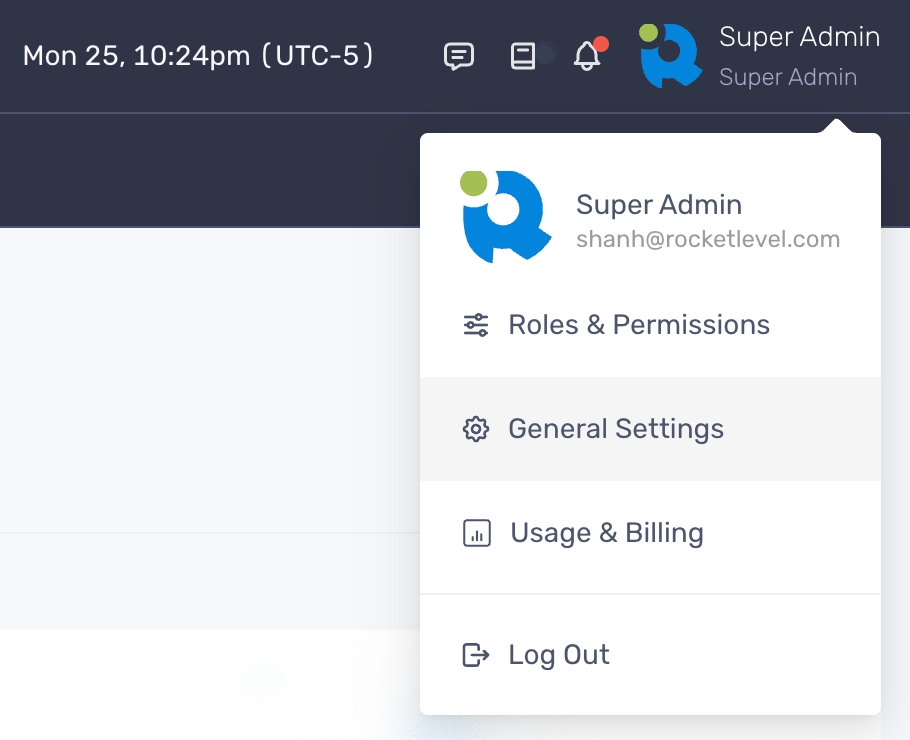
- Navigate to your profile picture on the upper right corner and select General Settings
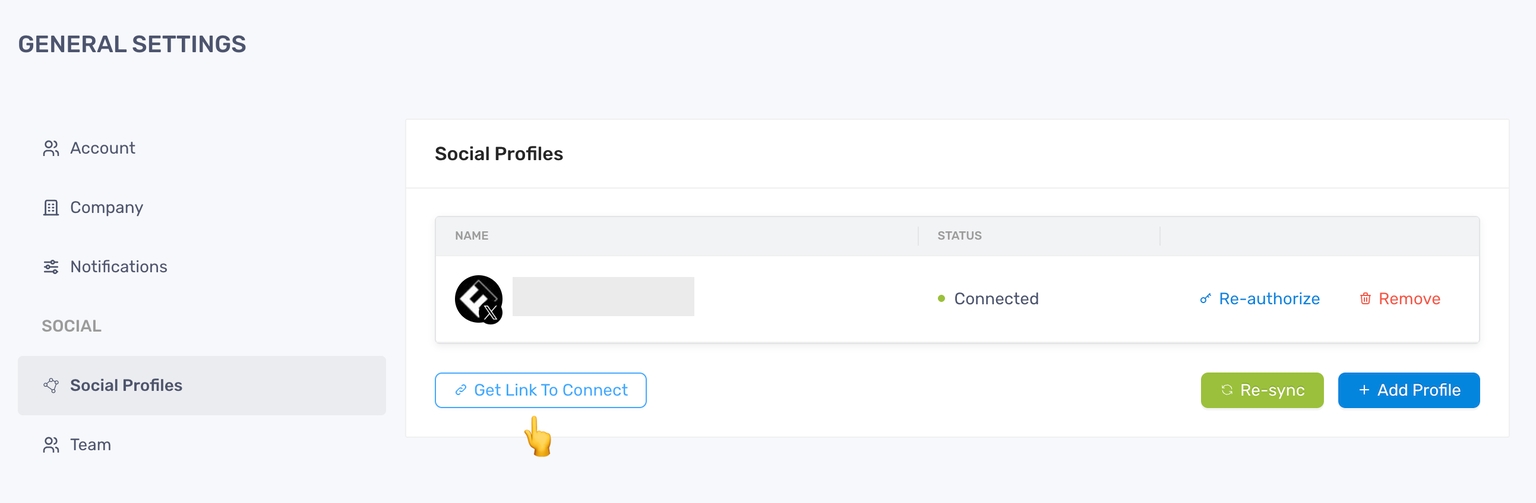
- Click Social Profiles from the menu on the right-hand side
- Click “Get Link To Connect”
- Click “Copy” on the pop-up to copy the generate URL
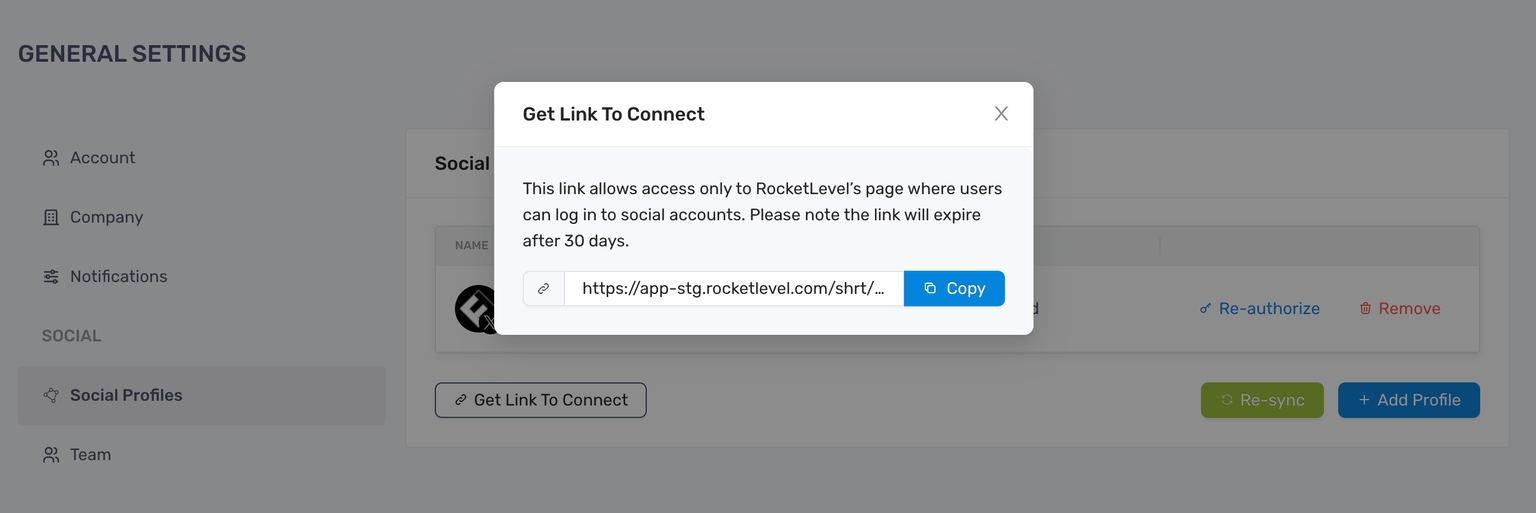
- Paste and send the URL to your client via the communication channel of your choice
- When your client opens the link, they will see the same page and follow the same steps in Linking Social Profiles
- If the connection is successful, the social profiles will be automatically displayed in RocketLevel
- Admin and Entitled User will receive email notification for successful linking